5.0 Excellent

Mount Kilimanjaro Now Has High-Speed Internet
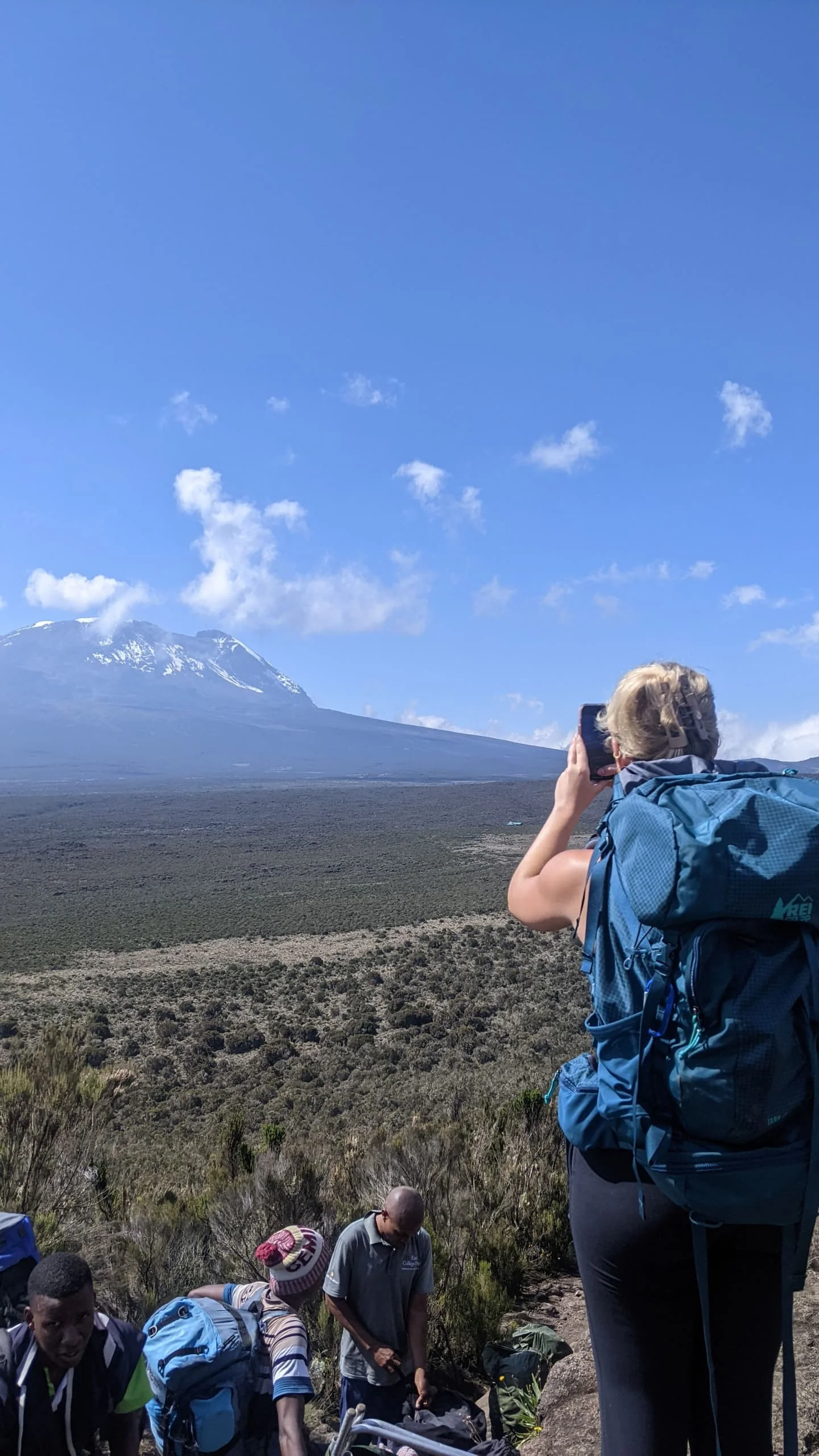
Kilimanjaro internet infrastructure now reaches Uhuru Peak, according to public project records from Tanzania Telecommunications Corporation, known as TTCL. The high-speed network rollout began in 2022, with later reports confirming the summit link. For climbers, that can create a chance to share an update from the mountain when a working connection is available.
This guide was reviewed in November 2026. Ask the climbing team about today's speed, login steps, charges, and service at each camp. Public rollout reports alone do not confirm those details for your dates.
This guide explains the story, what to ask about Wi-Fi and mobile data, how to prepare your phone, and how to keep family informed. It also includes sample trek packages and advice on fitting a climb into a wider Tanzania holiday.
Ask TanzaLux Safaris about a private Kilimanjaro trek and the communication plan for your route.
Kilimanjaro internet: the key points
The rollout is documented: government and TTCL records describe high-speed service reaching the mountain and summit.
Coverage needs a route check: named project locations do not prove a live connection along every trail.
Speed is not a fixed promise: ask about current service rather than planning around a headline or an old speed claim.
Access may need separate steps: confirm the network, login, data plan, and any charge.
Power needs its own plan: internet access does not establish that you can recharge a phone at camp.
Climbing comes first: follow the guide, rest, and keep a plan that works when you are offline.
When did high-speed internet reach the mountain?
The communications ministry's August 2022 announcement describes a launch event at Horombo on 16 August 2022. It names service points on the mountain and records the plan to extend the link to Uhuru Peak.
A later Huawei project account dates summit coverage to 13 December 2022. It credits TTCL with building the network as part of Tanzania's national broadband project and says Huawei Tanzania donated much of the equipment.
TTCL's 2022/23 annual report also records internet communication at the peak. These later records help distinguish the completed summit project from early news stories that still described it as a future goal.
For a travel plan, treat the history as a starting point. Kilimanjaro internet access on your dates still needs checking with the team running the climb. A project launch and a live service check answer different questions.
Where does the TTCL Kilimanjaro network reach?
In an August 2023 project report, TTCL lists a link from Marangu Gate through Mandara, Horombo, Kibo, Gilman's Point, Stella Point, and Uhuru Peak. This is a record of the network project, rather than a promise of current guest access at each stop.
Use those place names when you ask about your route. Marangu's named huts appear in the project history. A Lemosho, Machame, Rongai, or other trek has its own overnight stops and approach. Do not assume every camp on another route has the same access as a named hut.
Ask the operator to review Kilimanjaro internet options against the final itinerary. Which overnight stops have recently had a usable service? Who confirmed that information, and when? How do guests get access? A clear answer is more useful than a broad claim that the whole mountain is online.
Keep room for a change on the day. Network operation and access can change, and there may be gaps between service points. Your guide should be able to explain the plan for your group without promising a signal at every step.
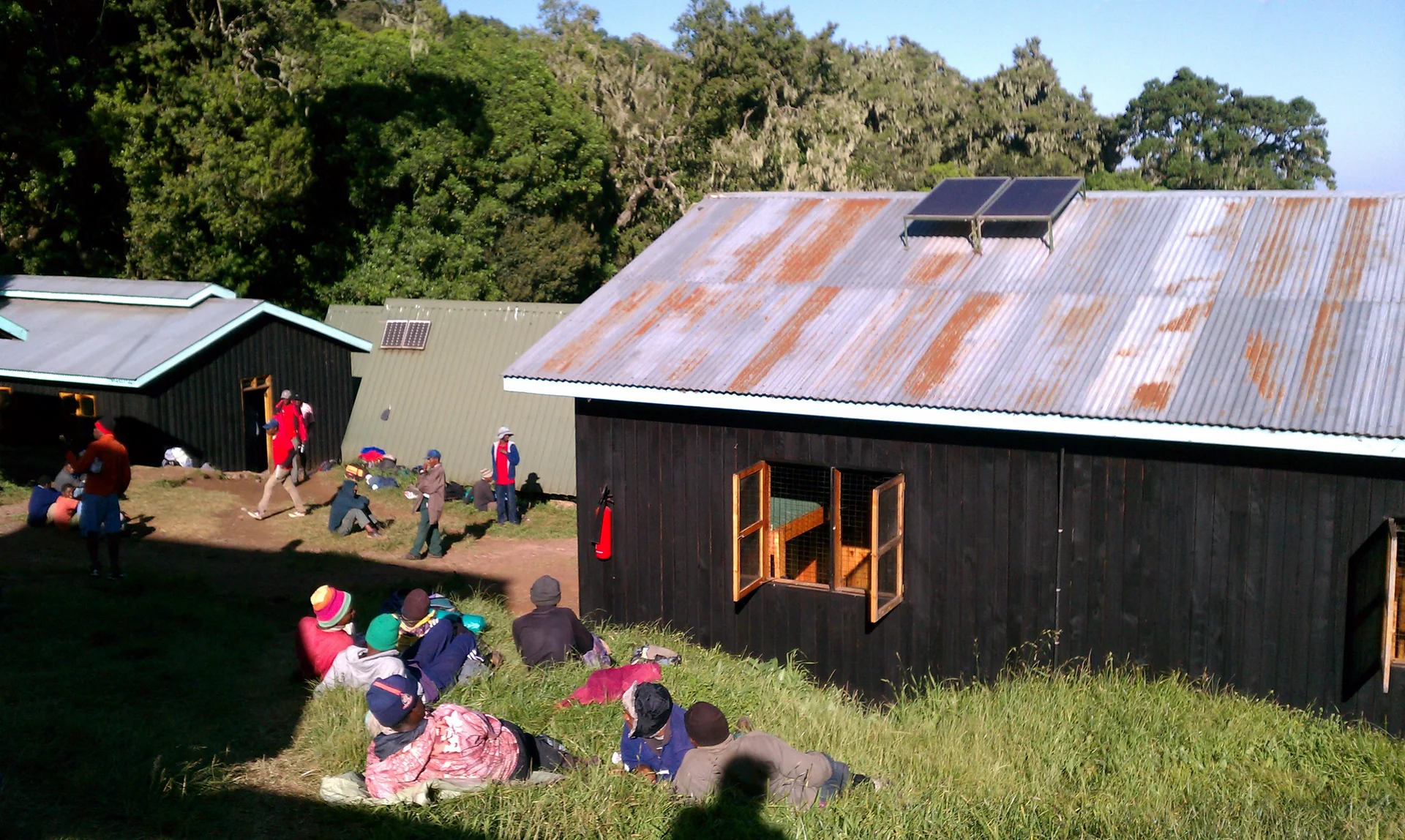
A hut on the Marangu route. Confirm current internet access and charging for each booked stop.
What does high-speed internet mean for a climber?
High-speed describes the project in the official rollout reports. It is not a measured speed guarantee for your phone at a particular camp. This guide does not assign a minimum download rate or promise that every app will work.
Think first about what you want to do. A short text update, a few selected photos, a long video upload, and a live work call place different demands on a connection. Keep the most useful tasks first and leave large uploads for a later, confirmed connection.
For Kilimanjaro internet planning, a simple message may be more useful than waiting for a perfect video. Write the update before connecting, send it when the service works, and save the rest for after the trek.
If a call or file transfer is essential, discuss it before booking. Ask for the limits of the available service and plan another way to meet the deadline. A mountain trek should not depend on a fixed online meeting that the provider has not agreed it can support.
Wi-Fi on Kilimanjaro and mobile data: check both
Ask separately about a local Wi-Fi connection and the mobile data service on your phone. A working mobile plan does not by itself establish access to a camp hotspot. A Wi-Fi option also does not prove that your home SIM will have a mobile signal on the trail.
For Kilimanjaro mobile signal, ask your provider about the network used, roaming charges, and the area covered by the plan. If you buy a local SIM or eSIM, confirm device support, activation, data limits, and validity before the trek starts.
For Kilimanjaro Wi-Fi, ask the climbing team how guests connect. Check whether you need a password, voucher, account, or separate payment. Do not publish or rely on an old hotspot name or price without a current check.
Keep the language clear when discussing Kilimanjaro internet with your planner. Say whether you mean a phone signal, Wi-Fi access, or a way for the crew to reach its ground team. Each needs its own answer.
Can you expect internet at Uhuru Peak?
Uhuru Peak internet coverage is part of the documented project. That supports the story that connectivity reached the summit. It does not verify that a particular phone, plan, or app will connect at the moment your group arrives.
Follow the guide's instructions at the top. If there is time and a working link, a brief update may be possible. Keep hands, gear, and footing under control, and let the guide decide when the group needs to move.
Take photos for your own memories even if they cannot be sent at once. Kilimanjaro internet can be a useful extra, while the moment itself still matters when the phone stays offline. You can share a full story once you are back at a suitable base.
Costs, login steps, and access questions
There is no current mountain-wide price quoted in this guide. Ask whether a connection is included in the trek, paid on site, or obtained through a separate data plan. Confirm who supplies the service and which locations the arrangement covers.
Check any time limit, data cap, device limit, and payment method. If the service does not work, ask what the terms say about unused access. A climb quote should make clear which internet-related items are included and which are only possible extras.
Before entering details on a login page, confirm the network name and process with the crew or relevant staff. Keep account codes private. Prepare key travel details offline so you do not need to sign into personal accounts just to find a booking reference.
A clear Kilimanjaro internet budget starts with confirmed terms. Avoid buying extra devices or a large data package solely because an old article says the mountain has high-speed service. Check what will actually work for your trip first.
Phones, batteries, and charging on the mountain
Confirm charging arrangements separately from network access. Ask whether any charging is offered, where it happens, what plugs or cables are needed, and whether it is included. Do not assume a hut or camp has spare power for every guest.
Cold can affect phone performance. For example, Apple's temperature guidance says very cold conditions outside the operating range can temporarily shorten battery life or cause an iPhone or iPad to turn off. Check the guidance for your own device.
Keep the phone dry and protected, and follow the maker's storage and charging limits. Avoid direct heat or improvised warming methods. Pack cables and a power bank that meet your needs without adding gear you will rarely use.
On flights, power banks and spare lithium batteries must stay in cabin baggage with terminals protected. Check the airline's current size, number, storage, and use rules. IATA's battery guidance explains the main points, including what to remove if a cabin bag is taken for the hold.
Good Kilimanjaro internet planning includes enough power for the uses that matter most to you. Test your kit before travel. A short cable that fits the bank and phone is more useful than a bag of untested adapters.
A simple offline plan before you climb
Prepare the phone while you still have time and a known connection at your base. Make sure you can open the items you need with data turned off. Check this yourself rather than assuming that a saved link will work offline.
Save the final route, hotel details, and pickup contacts.
Keep essential travel and insurance details available offline.
Download any map or reference material you plan to use, while following your guide on the route.
Check photo storage and make a backup of the files already on the phone.
Finish large app updates before the trek.
Reduce automatic uploads and other background tasks where useful.
Set a simple plan for messages to family.
Test cables, battery packs, and your chosen phone settings.
These steps help whether Kilimanjaro internet works well, briefly, or not at all during a stage. You can take photos, keep notes, and enjoy the walk without making each day depend on a login.
How to keep family informed without fixed online promises
Agree on a realistic update plan before leaving the hotel. Tell family that you may not send a message each day or at a fixed hour. Share the route outline and the ground team's agreed contact details.
Ask the operator when family should contact the ground team if an expected update is missed. Agree on the process rather than leaving everyone to guess. A missed personal message alone does not explain what is happening on the mountain.
When Kilimanjaro internet is usable, send the key information first. A short note about the day and the next planned stage may be enough. Keep photo sharing optional so that a large upload does not hold up the useful message.
Be considerate in shared huts and camps. Ask before filming other guests or staff, use headphones where appropriate, and keep noise low. Rest and the group's routine should shape your screen time.
Internet access and mountain safety
Tell your guide promptly if you feel unwell. Do not wait to find a signal or send a message home before speaking to the crew. A visitor's phone connection should not be the only way the group plans to seek help.
Before booking, ask about guide training, the crew's communication plan, health checks, emergency procedures, and the insurance needed for your route and activities. Get the arrangements in writing. Do not assume that public internet access includes rescue services or an evacuation guarantee.
The CDC's high-altitude guidance explains the importance of acclimatisation and the risks of altitude illness. Seek personal advice from a clinician familiar with high-altitude travel before the climb.
Kilimanjaro internet may help with communication when it works, but it does not change how your body responds to altitude. Choose the route and pace for the climb itself, and follow the guide's decisions about continuing, resting, or descending.
Questions to ask TanzaLux before your trek
Which camps on my final route have recently had usable guest internet?
When was that information last checked?
Does the answer refer to Wi-Fi, mobile data, or crew communications?
What login steps, payment, and data limits apply?
What charging is confirmed, and what should I bring?
How will the crew communicate with the ground team?
What should my family do if they miss an expected update?
Which services are included in the written quote?
Use the answers to set expectations. Current Kilimanjaro internet details should be checked against the actual route, not copied from a general list of camps. Keep screenshots or notes of the agreed arrangements with your other trip details.
Share your preferred trek and ask TanzaLux for route-specific communication and charging details.
Sample trek packages and wider holiday ideas
These are illustrative tailor-made plans, not fixed departures or internet-service offers. The final route, camps, staff, permits, gear, transfers, hotels, and health arrangements must be confirmed. Internet access and charging should be listed separately where offered. No plan promises a summit or a live connection.
Ten days: Eight-day Lemosho trek with hotel nights
Day 1: arrive and stay at your agreed base. Days 2–9: follow a confirmed eight-day Lemosho trekking plan, including its acclimatisation stages, summit attempt, and descent. Return to a hotel after the trek. Day 10: depart, or extend the stay for more rest.
This has eight trekking days and two hotel nights around the climb. Check Kilimanjaro internet options for the actual camps on the Lemosho route. The historical list of Marangu service points does not establish access at every Lemosho stop.
Request an eight-day Lemosho trek with arrival, departure, and communication plans clearly set out.
Eight days: Six-day Marangu trek with hotel nights
Day 1: arrive and prepare at your hotel. Days 2–7: take a confirmed six-day Marangu trek with a planned acclimatisation day, a summit attempt where appropriate, and descent. Return to the hotel on Day 7. Day 8: depart or add rest time.
Ask how Mandara, Horombo, and Kibo fit the final itinerary and what service has recently worked there. Choose the route based on the climb, your needs, and qualified advice. A hut named in the project history is not a current internet guarantee.
Ask TanzaLux about a Marangu trek and the current practical details for each stage.
Fifteen days: Lemosho climb and a northern safari
Day 1: arrive. Days 2–9: follow the agreed eight-day Lemosho climb and return to a hotel. Day 10: rest and review the onward plan. Day 11: travel to Tarangire. Day 12: continue towards Karatu. Day 13: take a planned Ngorongoro Crater visit. Day 14: return to Arusha. Day 15: depart.
Keep recovery needs and possible trek changes in view when booking the safari. Confirm change terms and allow more rest if needed. Use Kilimanjaro internet as an optional aid to sharing the journey, with all key onward details saved offline.
Explore a Kilimanjaro and safari holiday with TanzaLux, including time to rest after the climb.
Why travel with TanzaLux Safaris?
TanzaLux is a Tanzanian-owned company based in Arusha. Its planning approach brings your dates, interests, budget, and pace into the route. That is a useful place to discuss a climb, the hotel nights around it, and any safari or beach extension.
Explain what contact with home means for your trip. A brief family message, a work deadline, and a large photo upload are different needs. Ask the team to confirm what can be arranged and where the limits remain.
A clear proposal should name the trek length, camps, guide arrangements, inclusions, and support process. Ask about Kilimanjaro internet and charging as specific items. Avoid assuming that a private trek includes every digital service or a guaranteed connection.
Start your private Kilimanjaro enquiry with TanzaLux and request a clear pre-climb plan.
Frequently asked questions
1. Does Mount Kilimanjaro have high-speed internet?
Public government and TTCL records confirm a high-speed network project reaching the mountain and Uhuru Peak. Current access still needs checking for your route and dates. The project record does not guarantee a working link at every point.
2. When did the Kilimanjaro internet rollout begin?
The ministry reported a launch at Horombo on 16 August 2022. Later reports confirm the summit link. The story should be read as a documented rollout from 2022, with present-day service checked separately.
3. When was summit coverage reported?
Huawei's project account dates it to 13 December 2022. TTCL's 2022/23 annual report also records internet communication at the peak. These reports describe the project, rather than a live service test for your trip.
4. Will I have a connection all along the trail?
Do not plan on continuous access. Ask which points on the final route have recently had usable guest service. Keep key information offline and allow for gaps between updates.
5. Which places does TTCL name in its project report?
The report lists Marangu Gate, Mandara, Horombo, Kibo, Gilman's Point, Stella Point, and Uhuru Peak. Treat this as a historical network description. Ask how it relates to the route and current guest access.
6. Does every route have the same Kilimanjaro internet access?
No route-wide assumption should be made from the named project points. Lemosho, Machame, Marangu, and other routes have different stops. Ask for a current check of the actual itinerary.
7. Is Wi-Fi on Kilimanjaro free?
Do not assume it is. Confirm whether access is included, charged separately, or obtained through a data plan. Ask about login steps and limits before budgeting for the trek.
8. How fast is the internet at camp?
This guide does not give a verified current speed for any camp. Ask the operator what has recently worked and what remains uncertain. Plan essential tasks so they do not depend on a fixed download rate.
9. Will my home SIM work on the mountain?
Check with your provider about roaming, network access, costs, and device support. A home SIM does not establish coverage everywhere. Ask about mobile data separately from camp Wi-Fi.
10. Should I buy a local SIM or eSIM?
Compare the plan with your phone and route before buying. Check activation, validity, data limits, and the network used. A national coverage claim does not by itself answer which mountain stops will work.
11. Can I make video calls during the climb?
A call may be possible where a suitable link works, but it should not be promised at a set time. Agree on flexible contact with home. Save long calls for a confirmed connection before or after the trek.
12. Can I livestream from Uhuru Peak?
Do not build the summit plan around a livestream. The working connection, time, weather, phone, and guide's instructions all matter. Take your photos and share them later if a live upload does not work.
13. Can I work remotely from the trek?
Finish fixed deadlines before climbing or arrange a reliable alternative. A mountain trek does not provide an agreed office connection. Discuss any essential online task before booking and protect time for rest.
14. Can I charge my phone at every camp?
Do not assume so. Ask which charging options are confirmed and what they cost. Internet access and power for guest devices are separate details.
15. Why might my phone battery run down in the cold?
Cold can affect a device outside its operating range. Check the maker's guidance for your phone, including charging limits. Keep it protected and avoid direct heat or improvised warming methods.
16. Can I put a power bank in checked luggage?
No. Power banks and spare lithium batteries belong in cabin baggage with terminals protected. Follow the airline's current size, quantity, storage, and use rules. Remove them if a cabin bag is taken for the hold.
17. What should I save offline?
Keep the route, pickup contacts, hotel details, essential travel papers, and relevant insurance information accessible without data. Test that the files open offline before leaving the base hotel.
18. Does Kilimanjaro internet replace the crew's emergency plan?
No. Ask about the crew's own communications, support process, and emergency arrangements. Tell the guide promptly if you feel unwell. Do not wait to find a signal before seeking help from the team.
19. Should family worry if I miss a daily message?
Agree on an update and follow-up plan before the trek. A missed message alone does not explain the situation. Give family the agreed ground-team contact and a clear point at which to seek an update.
20. How can TanzaLux help me plan contact during the climb?
Share your route interests and contact needs during the enquiry. Ask for current Kilimanjaro internet details, charging options, and the crew's communication plan. Get confirmed arrangements and any charges in writing.
Ready to start planning?
Tell us your dates and what you're after — no obligation.